



When the Eco 100 Era router is in “no signal” mode, the lights will look as shown in the animation below.
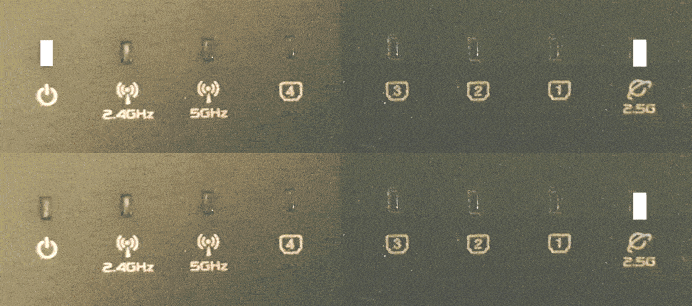 To activate the Eco router from this standby mode, modern wifi devices such as phones must be connected to the hidden network “jrs”. You only need to set this up once on your device; your device will then save the data and activate the router automatically the next time.
You will notice that this is necessary if the wifi network “jrs” is not listed among the available wifi networks on your wifi device when the Eco 100 router is in Full Eco sleep mode. By connecting to the hidden network “jrs”, you ensure that the Eco 100 router can recognize the connection request from your wifi device. Always connect to this hidden network “jrs”. If you have previously connected to one of the visible networks “JRS-Eco-100(-5)” on your device, we recommend deleting it using the ‘Forget’ option.
Instructions for connecting your devices to the “jrs” network can be found in Chapter 4 of the manual: JRS Eco 100 Era - English User Manual.